
Building an accessible web experience involves more than just designing a website that looks good. From choosing readable colour combinations to adding meaningful image descriptions and ensuring documents are accessible, there are several aspects to consider.
To make these tasks easier, we’re excited to introduce AccessMate Tools – a collection of five free accessibility tools designed to help website owners, developers, designers, and content creators identify and address common accessibility barriers. Built around the Web Content Accessibility Guidelines (WCAG) 2.2, these tools make accessibility checks more approachable and help you take practical steps towards creating inclusive digital experiences.
Whether you want to check a webpage, improve colour contrast, generate image descriptions, or prepare an accessibility statement, there’s a tool to help.
Explore the Five AccessMate Tools
1. Website Accessibility Checker
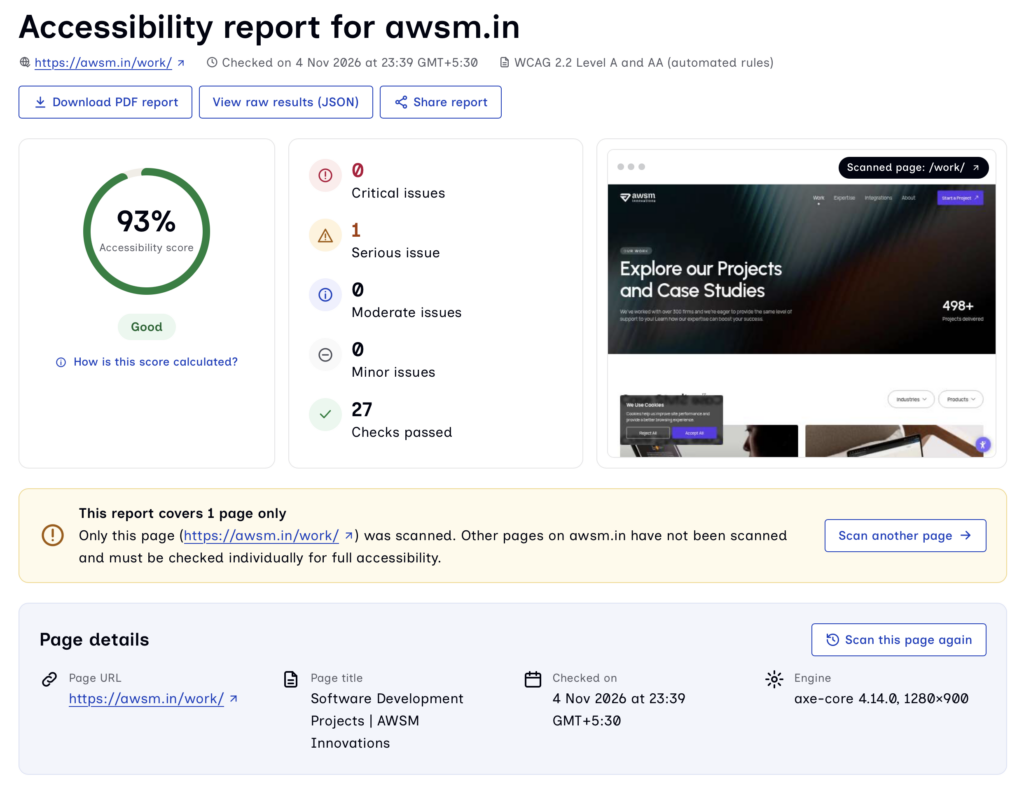
A website may look visually appealing and function as expected, but that doesn’t necessarily mean everyone can use it. Missing alternative text, inaccessible form elements, insufficient colour contrast, and other issues can create barriers for people with disabilities.
The Website Accessibility Checker helps you identify common accessibility issues by scanning a public webpage against WCAG 2.2 Level A and AA criteria that automated testing can detect. Simply enter the URL of a public webpage to run a scan and review the results. The checker highlights potential accessibility problems, helping you understand which areas need attention and where improvements may be required.
2. Color Contrast Checker
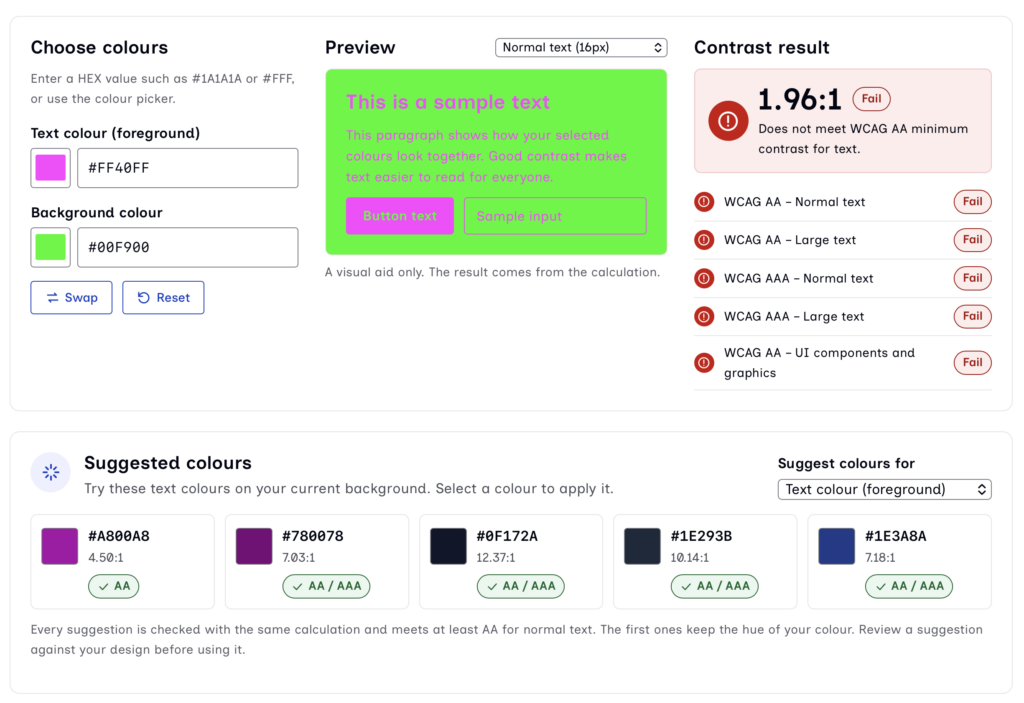
Have you ever struggled to read text because it blends into the background? Poor colour contrast can make website content difficult to read, particularly for people with low vision or colour vision deficiencies.
The Color Contrast Checker helps you evaluate text and background colour combinations against WCAG 2.2 AA and AAA contrast requirements. You can enter foreground and background colours, preview how they appear together, and check whether they meet the required contrast ratios. If a combination doesn’t meet the recommended requirements, the tool also provides verified accessible alternatives to help you choose more readable colours.
3. Alt Text Generator
Images are an important part of digital communication, but not everyone experiences them in the same way. People who use screen readers rely on alternative text (alt text) to understand the information conveyed by meaningful images.
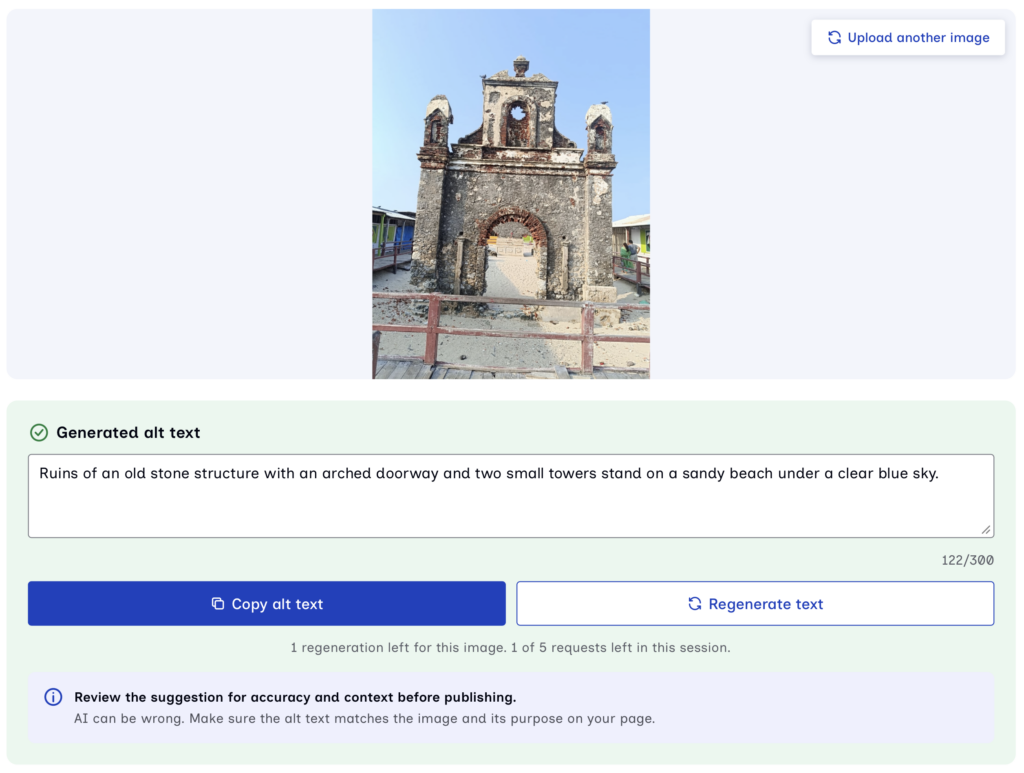
Writing effective alt text for every image can be time-consuming, especially when managing websites with large amounts of visual content. The AccessMate Alt Text Generator uses AI to suggest contextual descriptions for uploaded images. Rather than simply describing what’s visible, the suggestions can take into account how an image is being used.
Upload an image to receive an alt text suggestion, review the generated description, make any necessary edits, and copy it into your webpage. Users can make 5 alt text requests per browser session which lasts 24 hours from the first request. Each image can be generated up to 3 times.
4. PDF Accessibility Checker
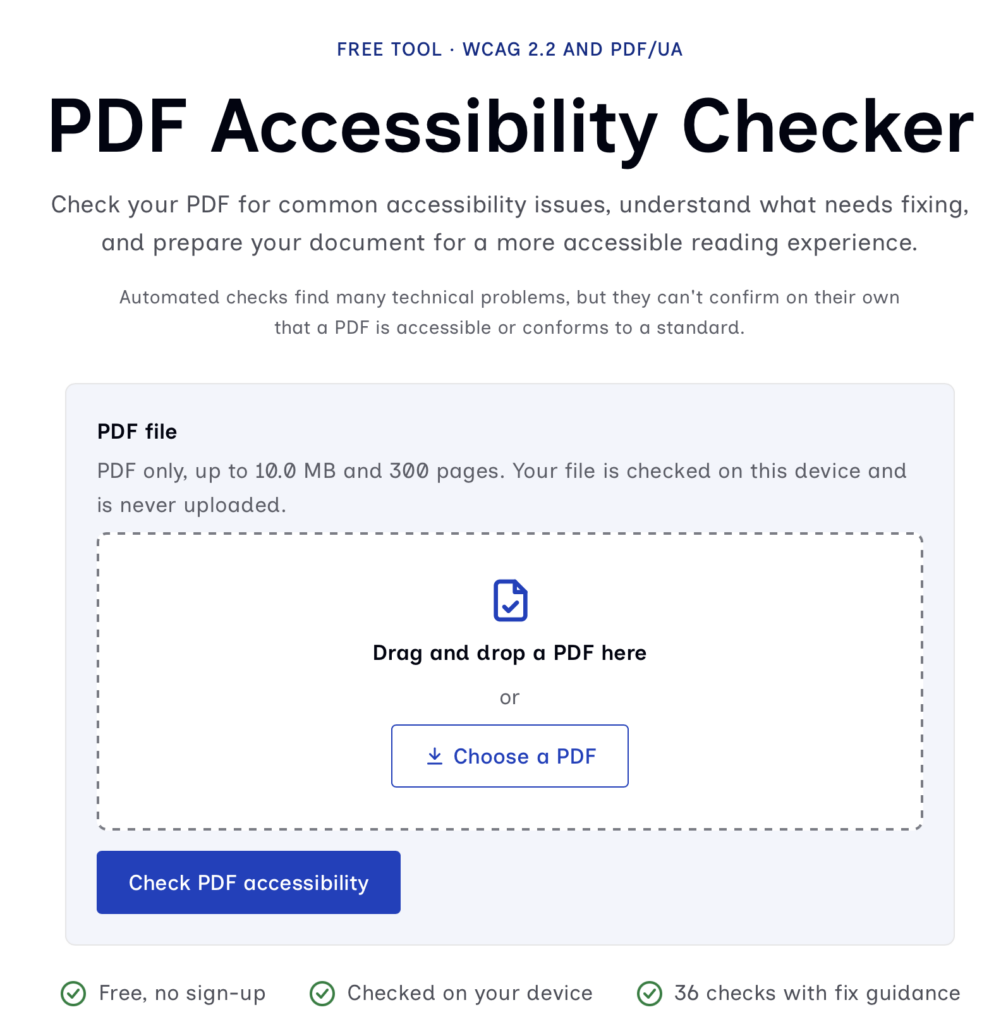
Accessibility doesn’t end with webpages. PDFs are widely used for sharing reports, guides, brochures, forms, policies, and other important information. However, documents that aren’t properly structured can be difficult for people using screen readers and other assistive technologies to navigate.
The PDF Accessibility Checker helps you identify potential accessibility issues in PDF documents before publishing or sharing them. By identifying missing or incomplete elements, the checker helps you understand what needs attention when preparing more accessible PDF documents.
Another important aspect is privacy. Your PDF is checked directly in your browser and is never uploaded to our servers.
5. Accessibility Statement Generator
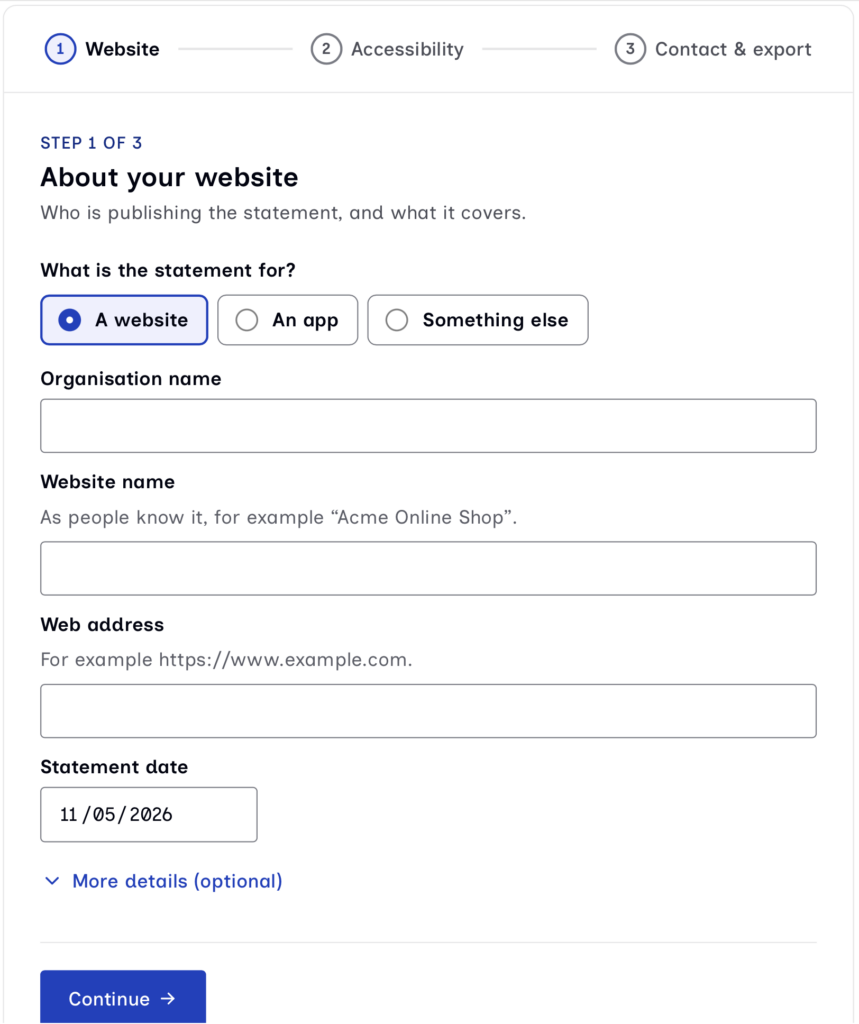
An accessibility statement is an important part of an organisation’s commitment to digital inclusion. It communicates the accessibility standards a website aims to follow, known accessibility limitations, and how visitors can report barriers or request assistance.
The AccessMate Accessibility Statement Generator simplifies this process through three straightforward steps. Answer a few questions about your website and its accessibility, and the tool generates a statement that you can review, customise, and publish.
The generator follows the W3C Web Accessibility Initiative (WAI) guidance for accessibility statements, helping you communicate your website’s accessibility position more clearly and transparently.
Designed with Privacy and Accessibility in Mind
We believe accessibility tools should themselves be accessible and easy to use.
That’s why AccessMate Tools are designed with a few important principles:
- Free to use: All five tools are available without any subscription, account creation, or sign-up.
- Built around WCAG 2.2: The tools support accessibility checks and tasks aligned with relevant WCAG 2.2 guidance.
- Privacy-conscious: Several tools run entirely in your browser without sending data to our servers. Tools that require external processing clearly explain when data is sent.
- Accessible to everyone: The tools are designed to work with keyboards and screen readers, support 200% zoom, and adapt to mobile devices.
- Transparent about limitations: Automated testing can identify many common accessibility issues, but it cannot detect every barrier. Manual testing and human review remain essential.
Start Making the Web More Accessible
Creating a more inclusive web experience doesn’t have to feel overwhelming. Small, consistent improvements can make a meaningful difference to how people access and interact with digital content.
With AccessMate Tools, you have five practical resources to help you get started.
Explore all five free accessibility tools: https://accessmate.ai/tools
Let’s work towards a web that’s more accessible to everyone, one step at a time.